

Case study 02 · Healthcare
PreOp Screen
Before surgery, every patient's health history has to be checked. We turned phone calls and paperwork into a 3-minute form on the patient's phone, and a report the doctor signs in one click.
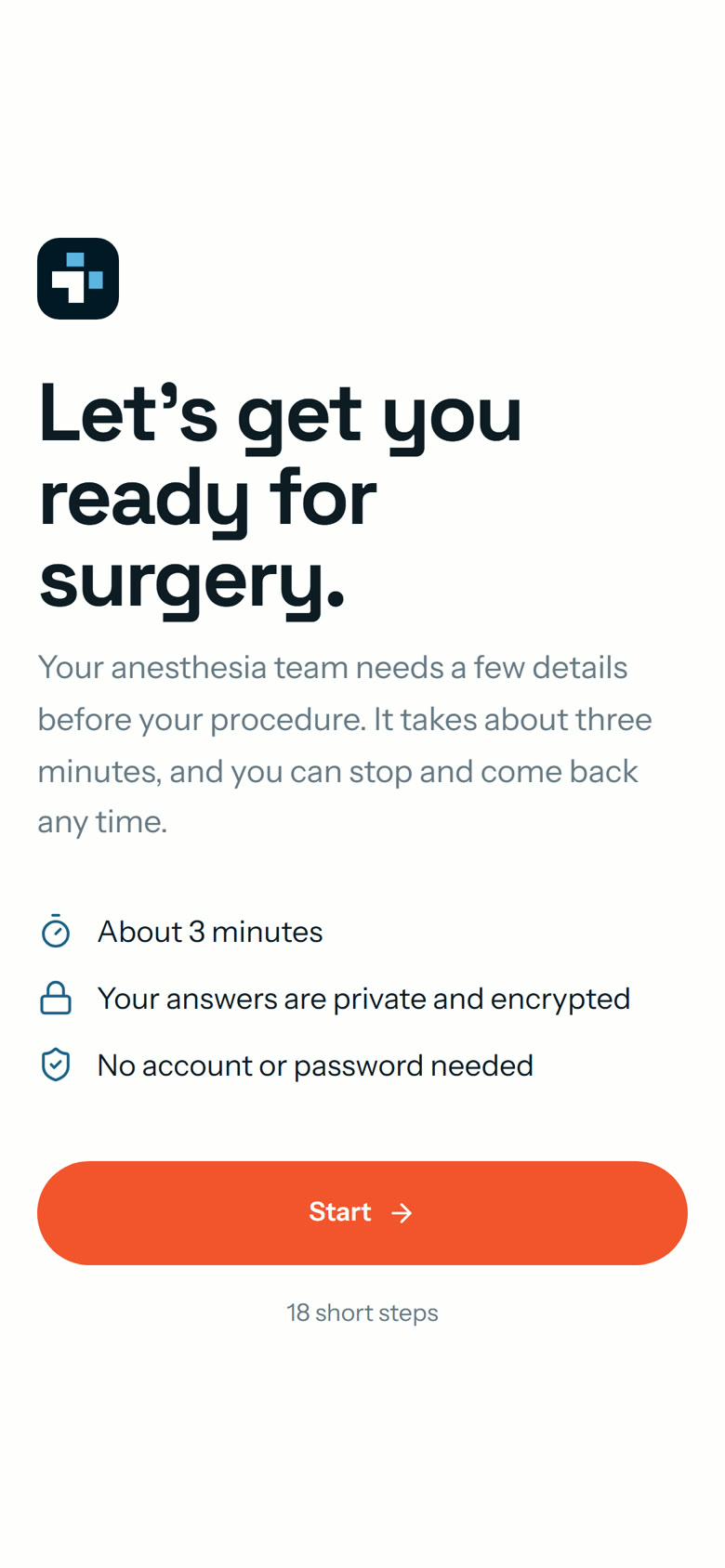
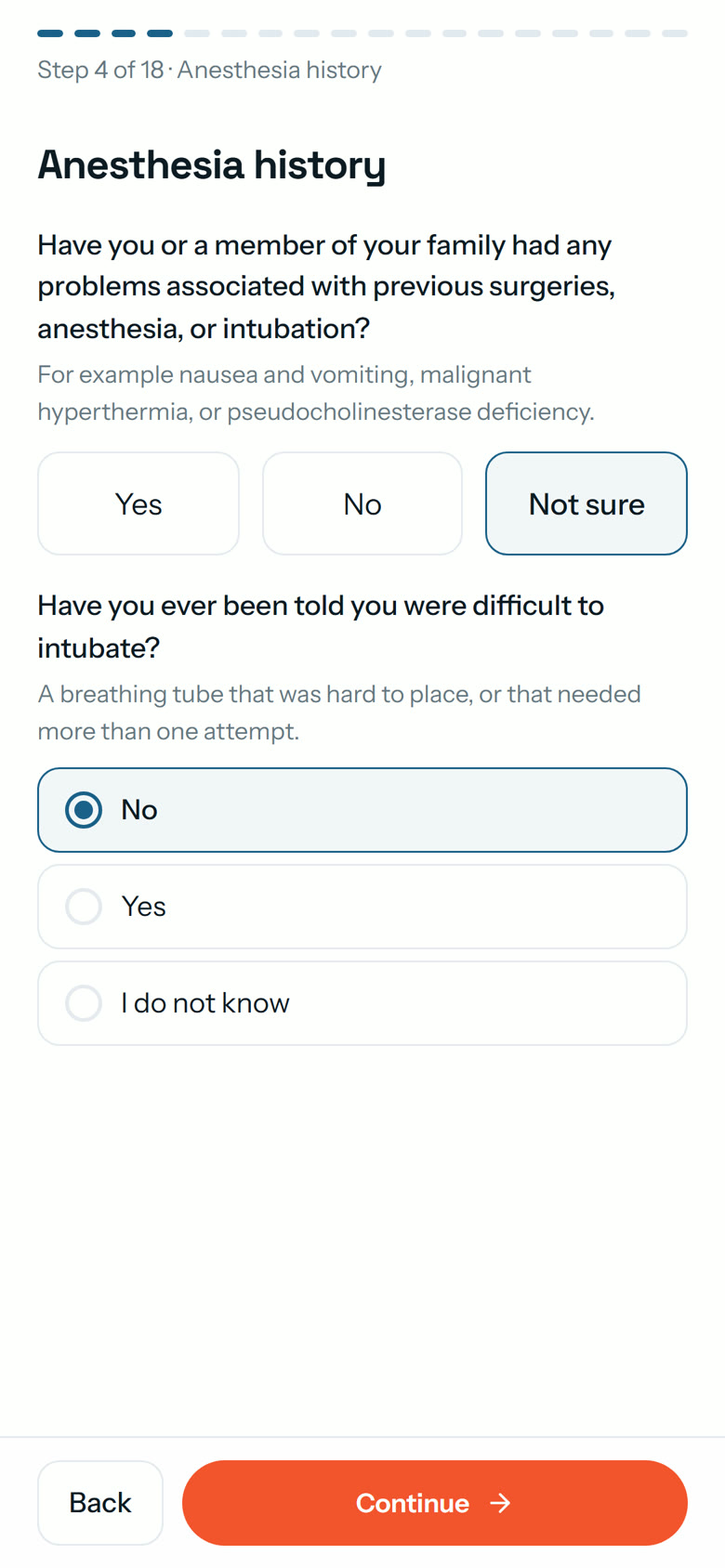
for the patient to fill in the form on their phone. No app, no password.
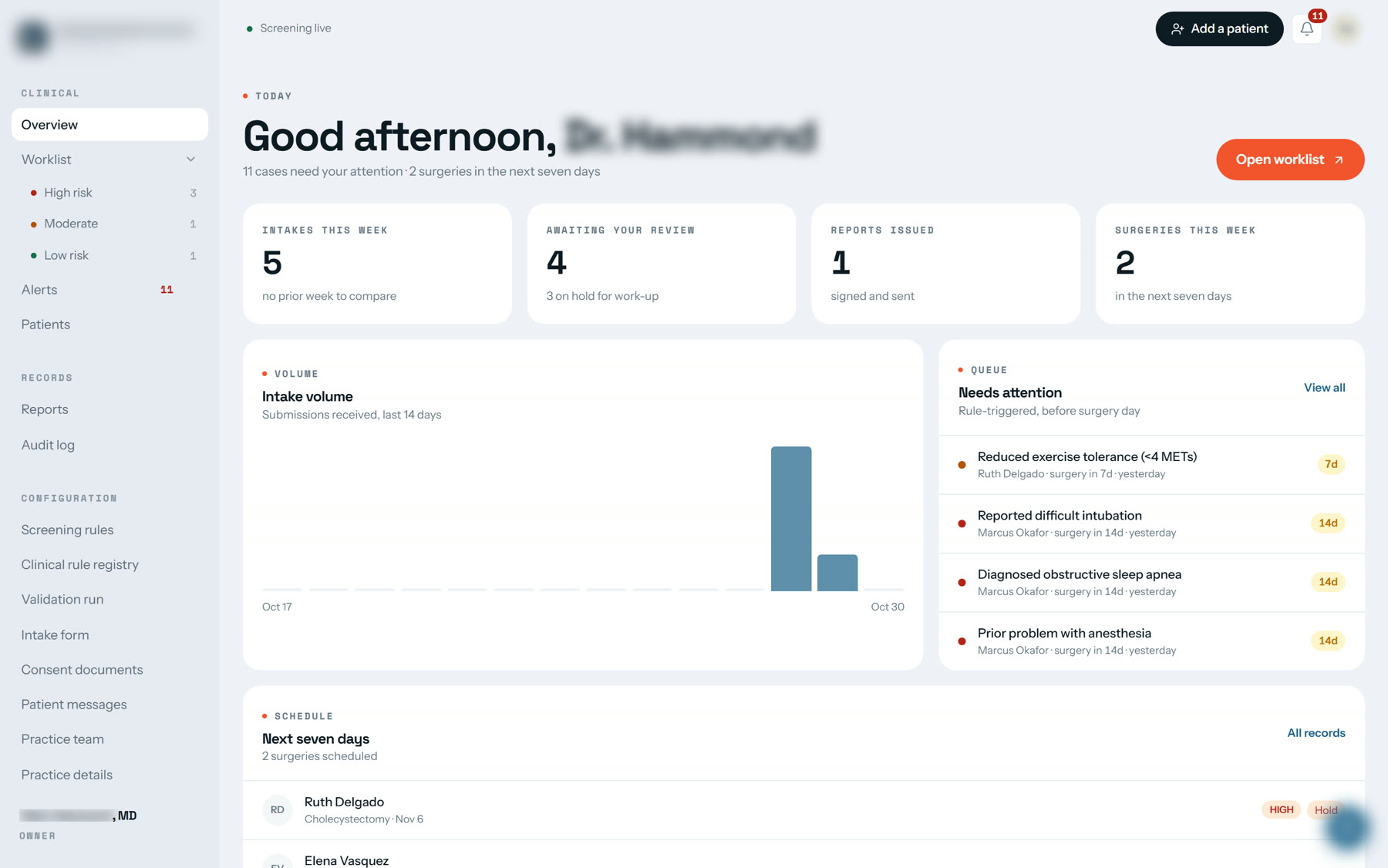
where the doctor sees every patient, the riskiest at the top.
to turn a reviewed patient into the report the surgeon receives.
reports sent without the doctor's signature. Ever.
Getting a patient readyfor surgery took too many phone calls.
The practice checks patients before surgery for surgery centres, remotely. Before anyone goes under anesthesia, the doctor has to know their history, their medicines and anything that could make the operation unsafe.
- Staff phone patients one by one to collect their history
- Forms come back half filled in
- One missed medicine can cancel a surgery on the day
- Reports put together by hand
- The patient gets a link and fills it in on their phone
- The form will not move on until the key questions are answered
- Risky answers are flagged the moment they arrive
- The report is ready in one click, and the doctor signs it
Five steps.One signature.
Tap any step to see what happens there. The doctor stands between the system and the surgeon, so nothing reaches the operating room without a person checking it.
System checks the answers. The moment the form arrives, it is compared with the practice's own checklist. Anything risky is flagged, and the patient is placed high, medium or low risk.
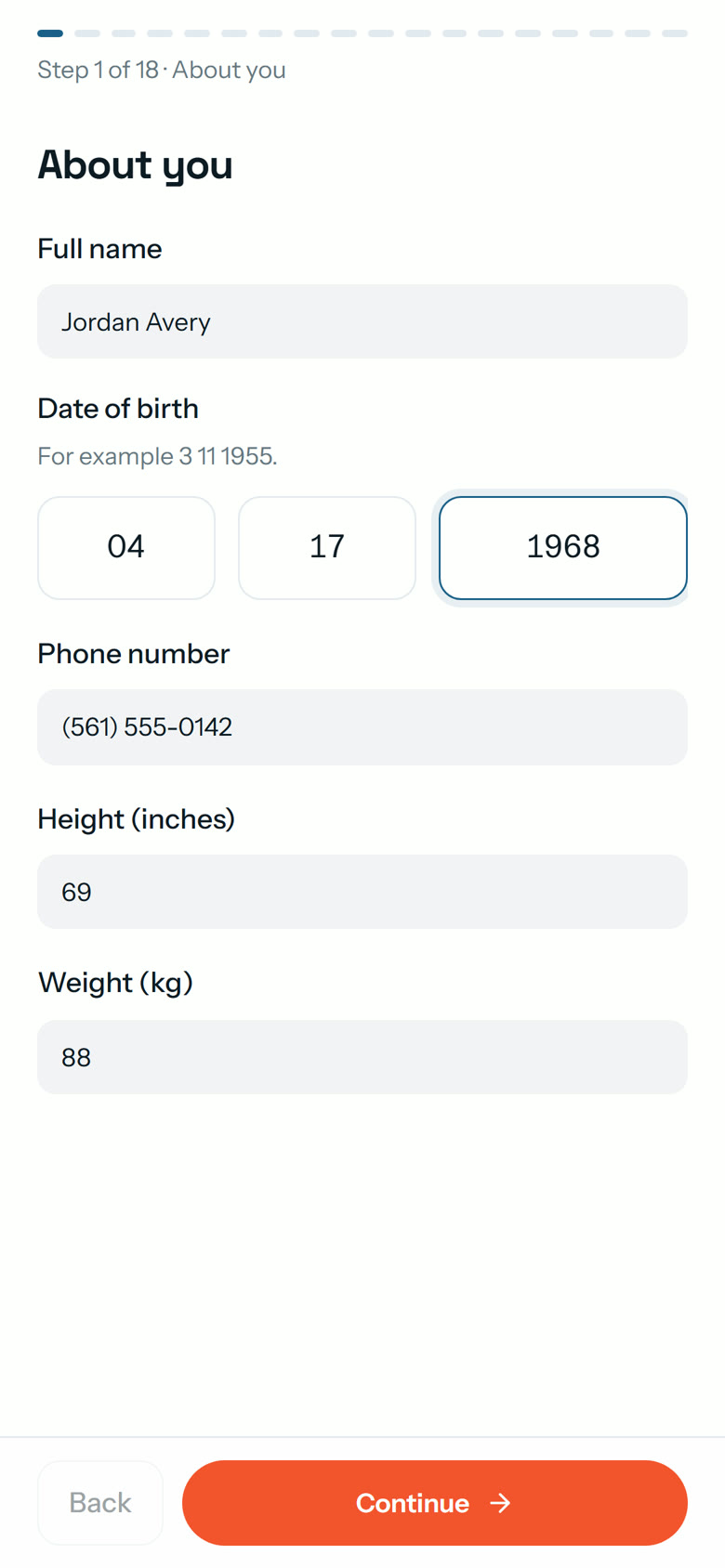
A phone for the patient. A worklist for the doctor.
The patient's link
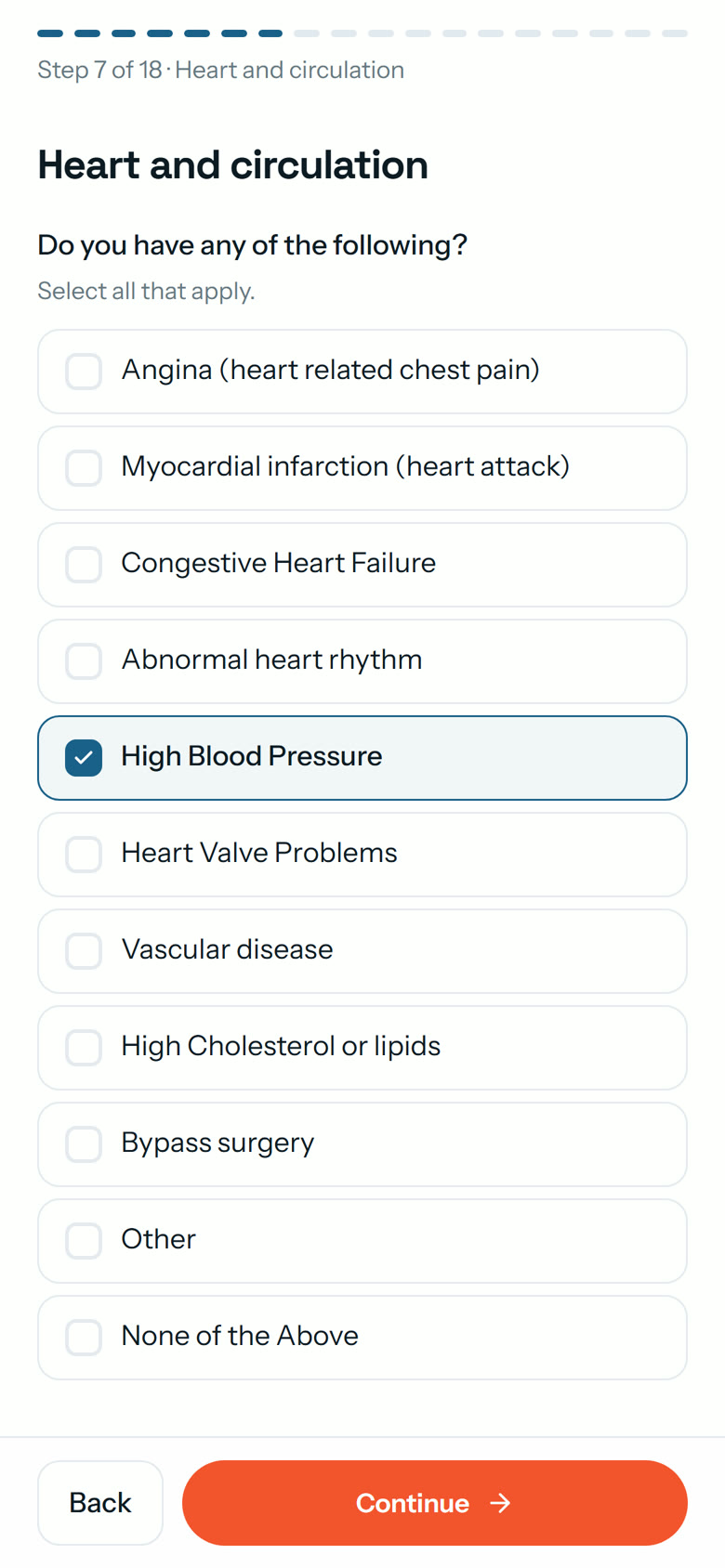
Simple questions
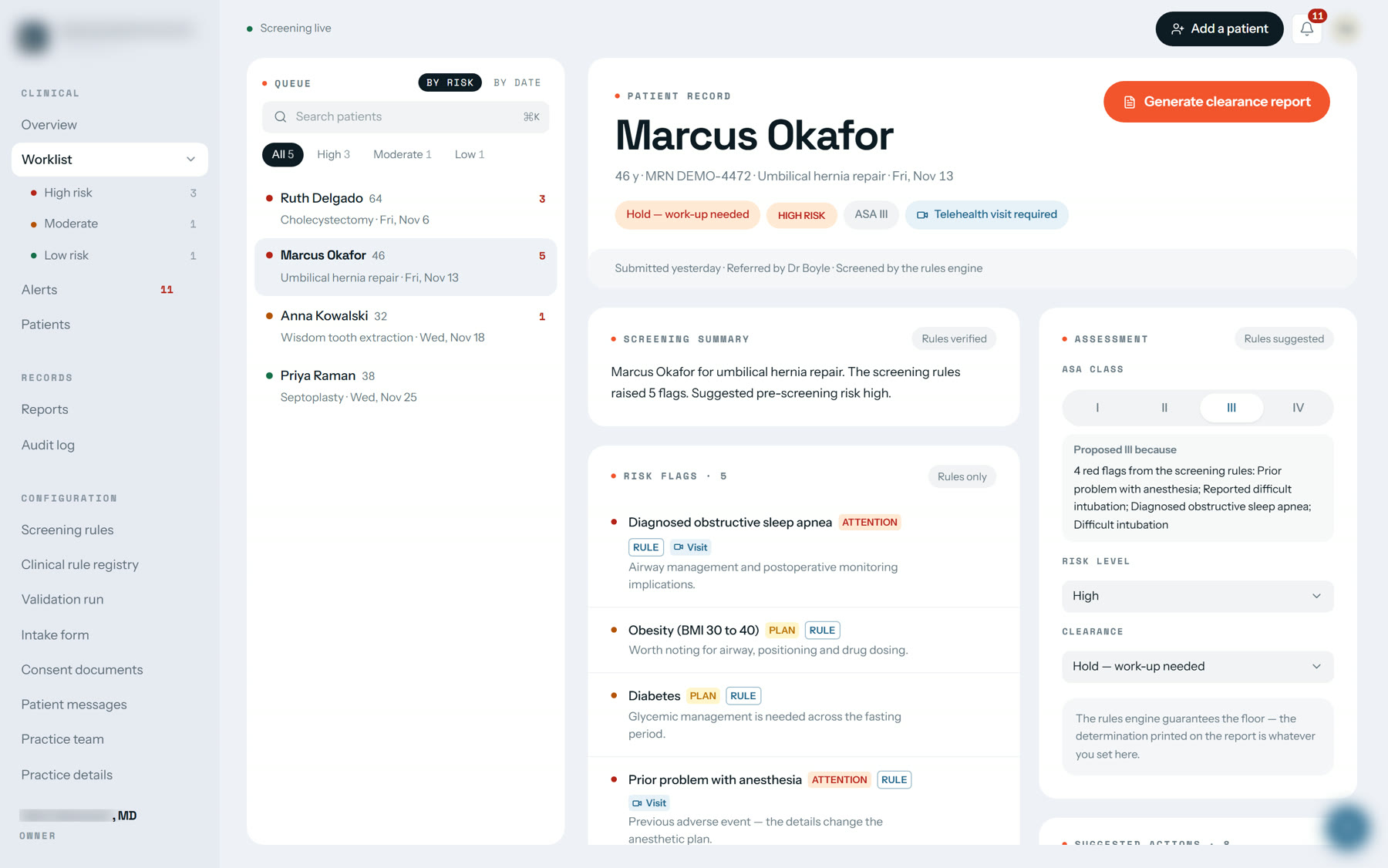
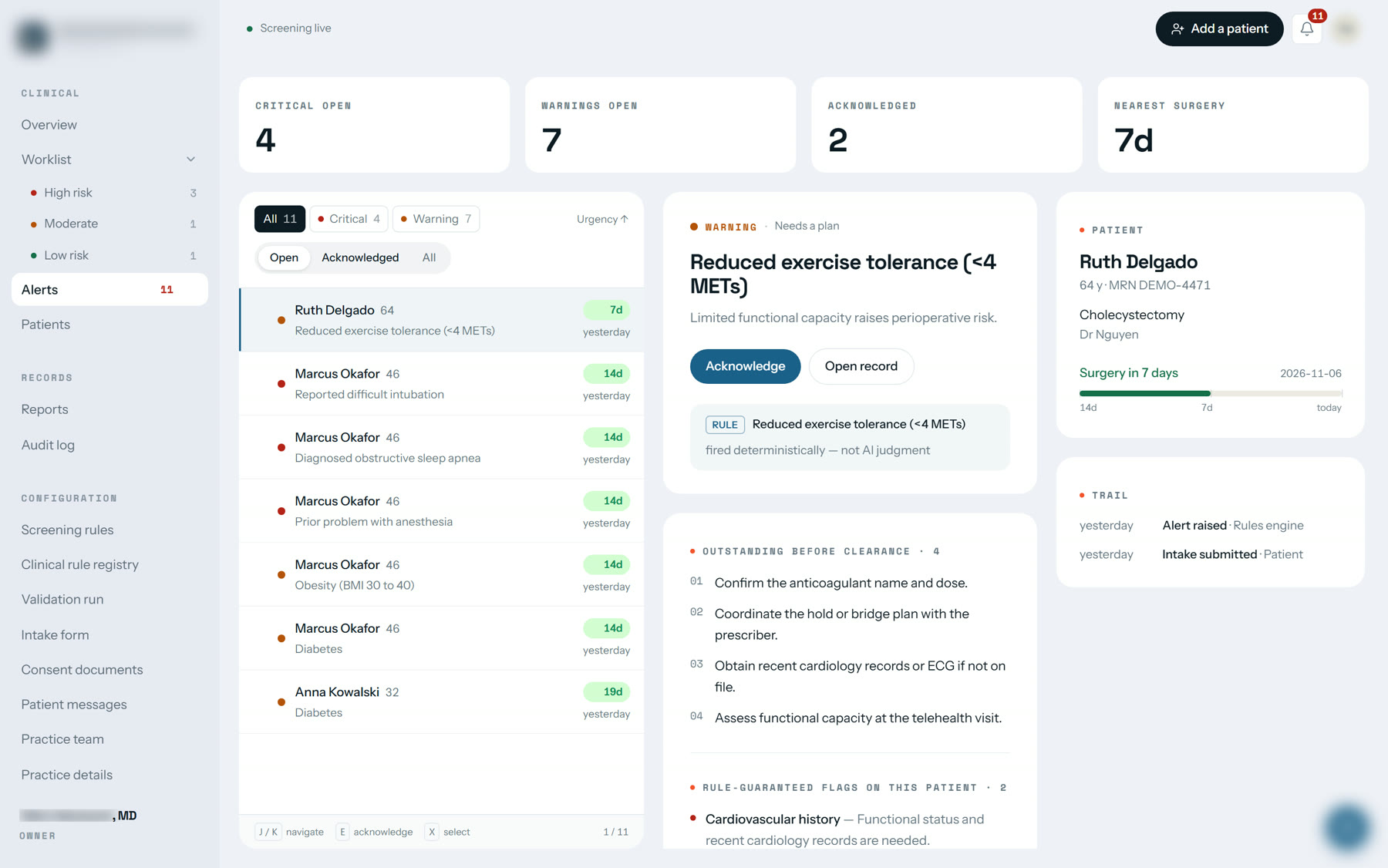
Warnings with reasons
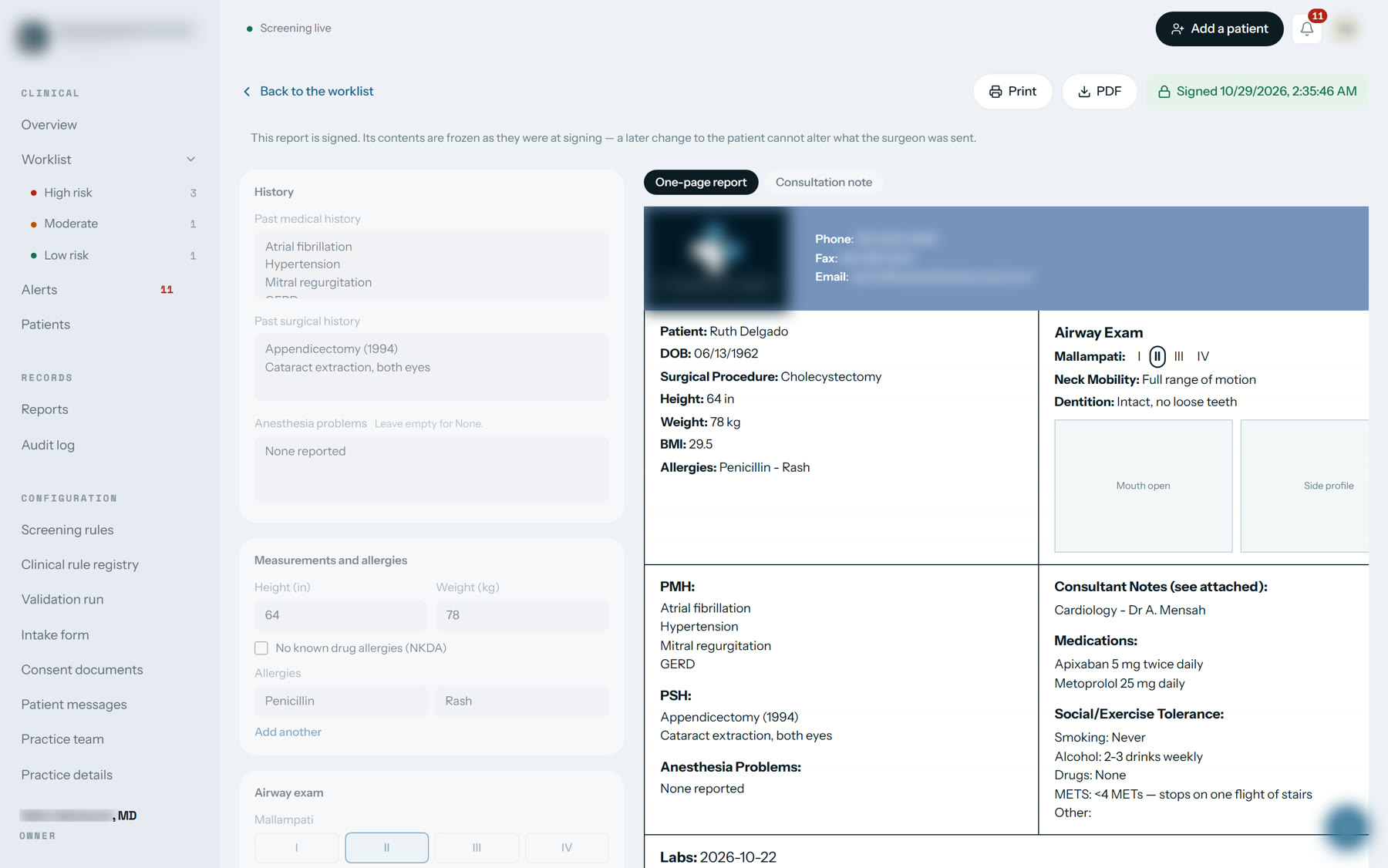
Report, ready to sign
“Not sure” isnot the same as “No”.
Patients often do not know if a pill they take counts as a blood thinner. Most forms force a Yes or No, and an unsure patient picks No.
So every yes-or-no question has a third answer. “Not sure” becomes a question for the team to follow up, never a quiet No.
Do you take a blood thinner?
Many systems would quietly treat this as a No. Here it stays a question, and the team checks with the patient before surgery.
Riskiest patientsat the top.
Every warning says why it was raised and which answer caused it. When a case needs a video visit before surgery, the visit is booked automatically.
The computer suggests.The doctor decides.
Drafts the doctor's notes. Optional, and switched on only by the practice.
The doctor's own rules, built in. They work even when AI is switched off.
Can change any warning or decision. Once signed, the report is locked.
- Sleep apneaNeeds attention
- Problem with anesthesia beforeNeeds attention
- Hard to place a breathing tubeNeeds attention
- Weight (BMI 30 to 40)Plan for it
- DiabetesPlan for it
AI helps word the notes, and they are checked against the patient's answers before the doctor sees them.
Turn AI off and the same 5 warnings appear. Safety never depends on the AI.
234 checks built in.0 switched on without her.
The doctor gave us her medical guidelines: 234 checks, written in plain English. We loaded every one, and prepared 63 so the computer can run them.
But none of them screens a real patient until she has read it and approved it. The approve button simply refuses a check she has not reviewed.
One page.One signature.
One click turns a reviewed patient into the clearance report the practice already used: cleared, cleared with conditions, or on hold. Print it, save it as a PDF, or email it to the surgeon.
It stays a draft until the doctor signs. After that it is locked, so the surgeon always sees exactly what was signed.
Practice details hidden for privacy. All patients shown are fictional demo data.
A mistake we caughtbefore any patient did.
In testing, the doctor's notes ended every patient the same way: no reason not to proceed. Even for a patient on hold with four warnings on the same page.
The notes and the report go to the surgeon together, so they must never disagree. Now an automatic test compares every note with the report before anything can be sent.
The patient form
Secure accounts, the practice's branding, and the full form with consent and save-and-finish-later.
The risk checks
The doctor's rules, warnings in plain language, instant alerts.
The doctor's screens
Worklist sorted by risk, changes by the doctor, one-click report.
Handover
Records, staff accounts, a security review, testing with the practice, training.
Private by design.
Built to run in the practice's own cloud account, not ours.
Patient information is encrypted, and each practice's data is kept separate.
The system logs who looked at what, and when.
We never use real patients while building or testing. It is in the contract.
“Exactly what I had in mind.”
Common questions
What is PreOp Screen?
A pre-surgery screening platform for an anesthesia practice. Patients fill in a short form on their phone, answers are checked against the doctor's own rules, and the doctor signs a clearance report for the surgeon.
How do patients fill it in?
They get a link by text or email and complete 18 short steps in about three minutes. No app and no password.
Does the AI decide who is risky?
No. Risk checks are the practice's own rules. AI optionally helps word the doctor's notes, and switching it off gives the same warnings.
Can a report be sent without the doctor?
No. Reports stay drafts until the doctor signs, and signed reports are locked.
More case studies
All case studies →VeraVoice
An AI receptionist that never lets a call ring out.
View case study →Retail Insights
From last week's spreadsheets to dashboards that are fresh every morning.
View case study →Syphon AI
Reads 200-page tenders, flags the deal-breakers, and cites every answer.
View case study →Esperwise
Interviews the patient, listens to the visit, and writes the note the way the doctor would.
View case study →Recruiting NOW
An AI that interviews every applicant in German, at any hour, and explains every score.
View case study →Contract Blitz
Explains every clause in plain English, flags what bites, and tells you what to ask for.
View case study →Brands10x
An AI CEO, CFO, CMO, COO and Chief of Staff that plan together around the same goals.
View case study →WorkApply
Finds the jobs that fit, tailors every application, and applies for you.
View case study →BuildStudio
The design team trailer shops hire on Upwork, as one AI studio.
View case study →Your project, next.
Tell us what you want to build. You get a fixed, line-item quote after one call.
Start a project →