

Guide · 6 min read · Updated
Human-in-the-loop AI: where to put the person
By the SeedInov Studio team, from our own builds.
Why the check matters more than the model
People do not trust AI because it is accurate on average. They trust it when they can see what it did and stop it before it matters. That is why the first objection in every legal, medical and procurement team is the same: how do I know it didn't make that up?
The answer is never “the model is very good”. It is a product design where the AI's output is a draft until a person has seen it, and where seeing it takes seconds, not minutes.
Five places to put a person
| Pattern | Where we used it | Use it when |
|---|---|---|
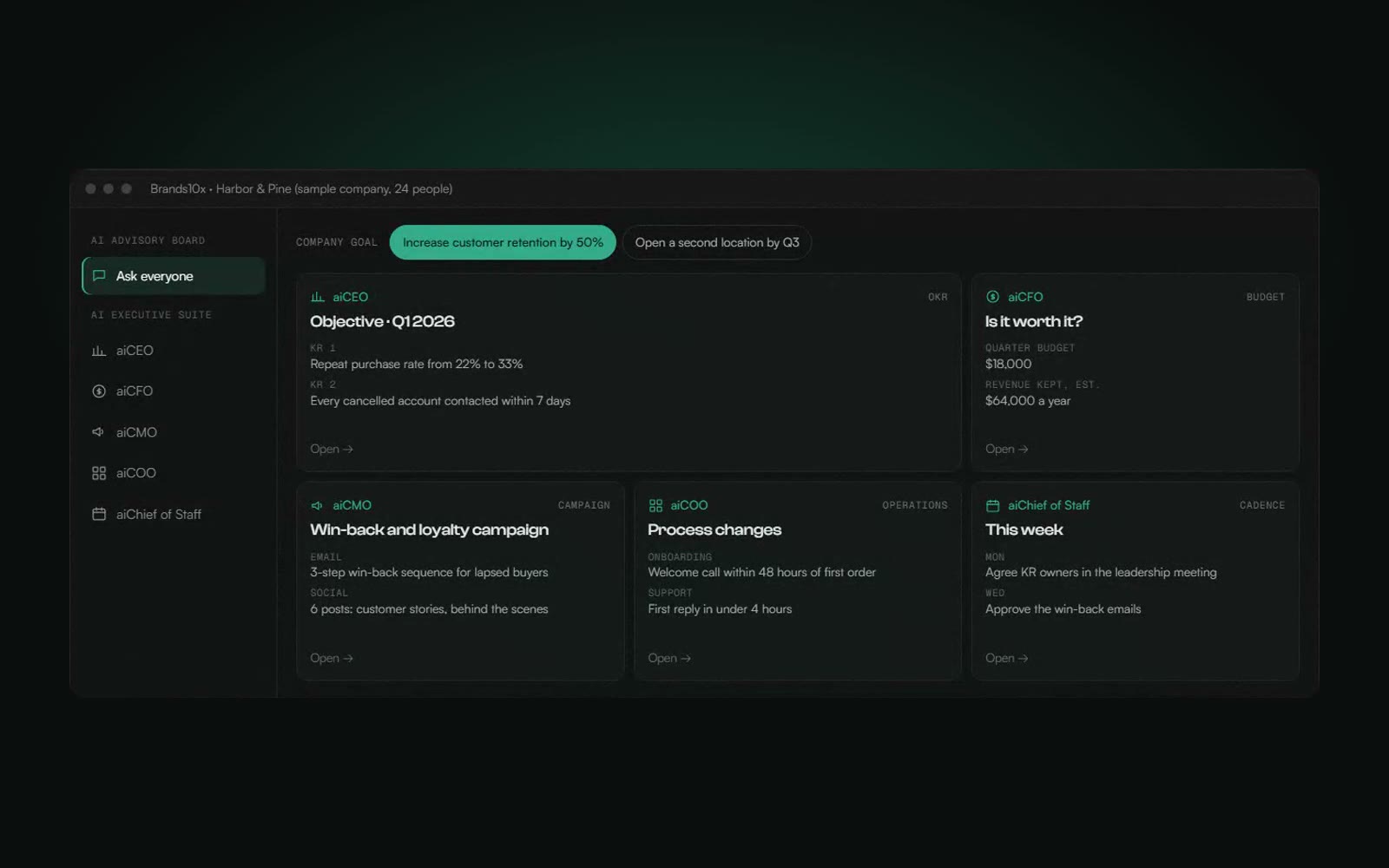
| Approve before it acts | Brands10x: every plan is a draft waiting for approval | The AI proposes work for others to do |
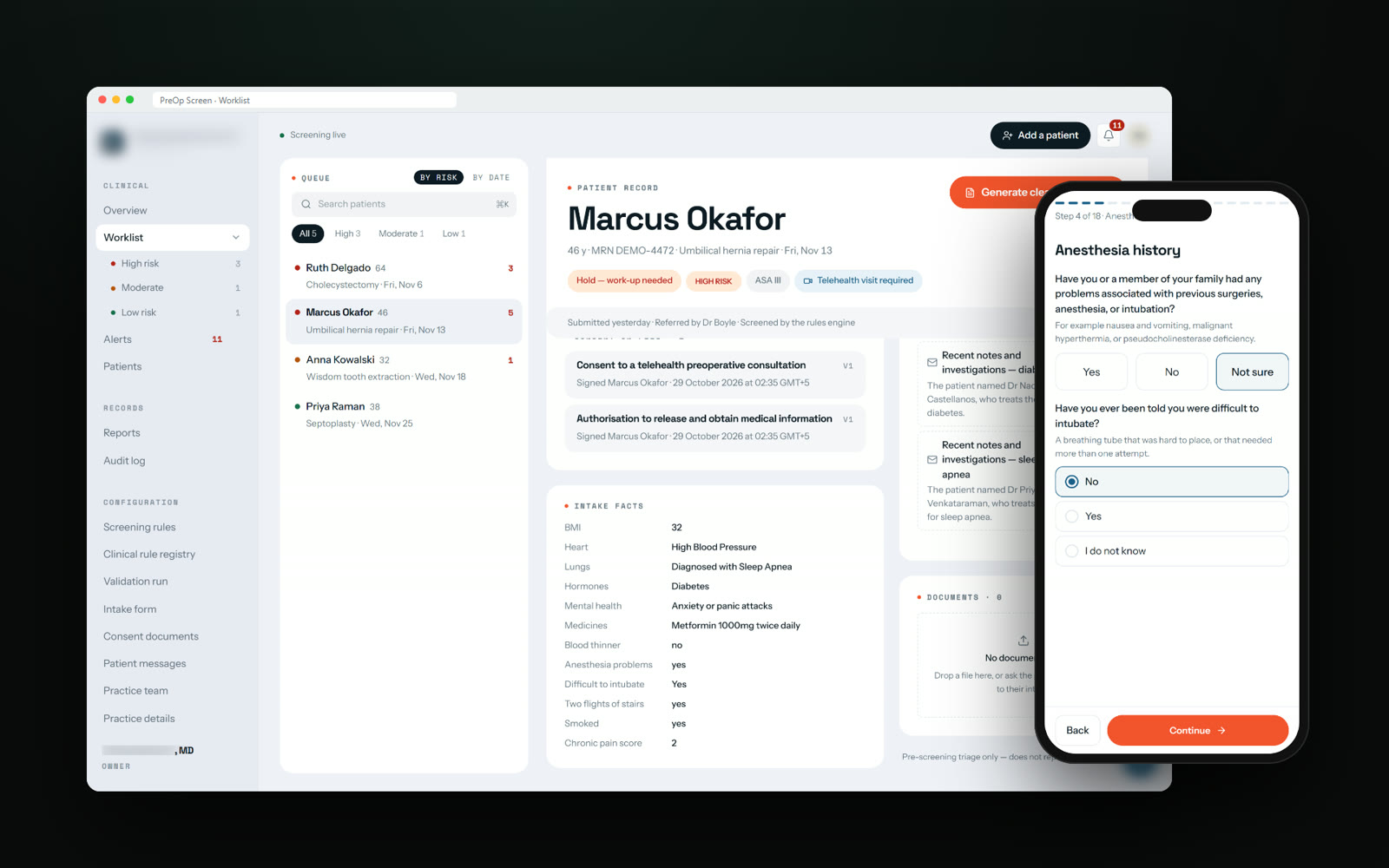
| Sign before it is saved | Esperwise and PreOp Screen: the doctor signs, then it is locked | The output becomes a legal or medical record |
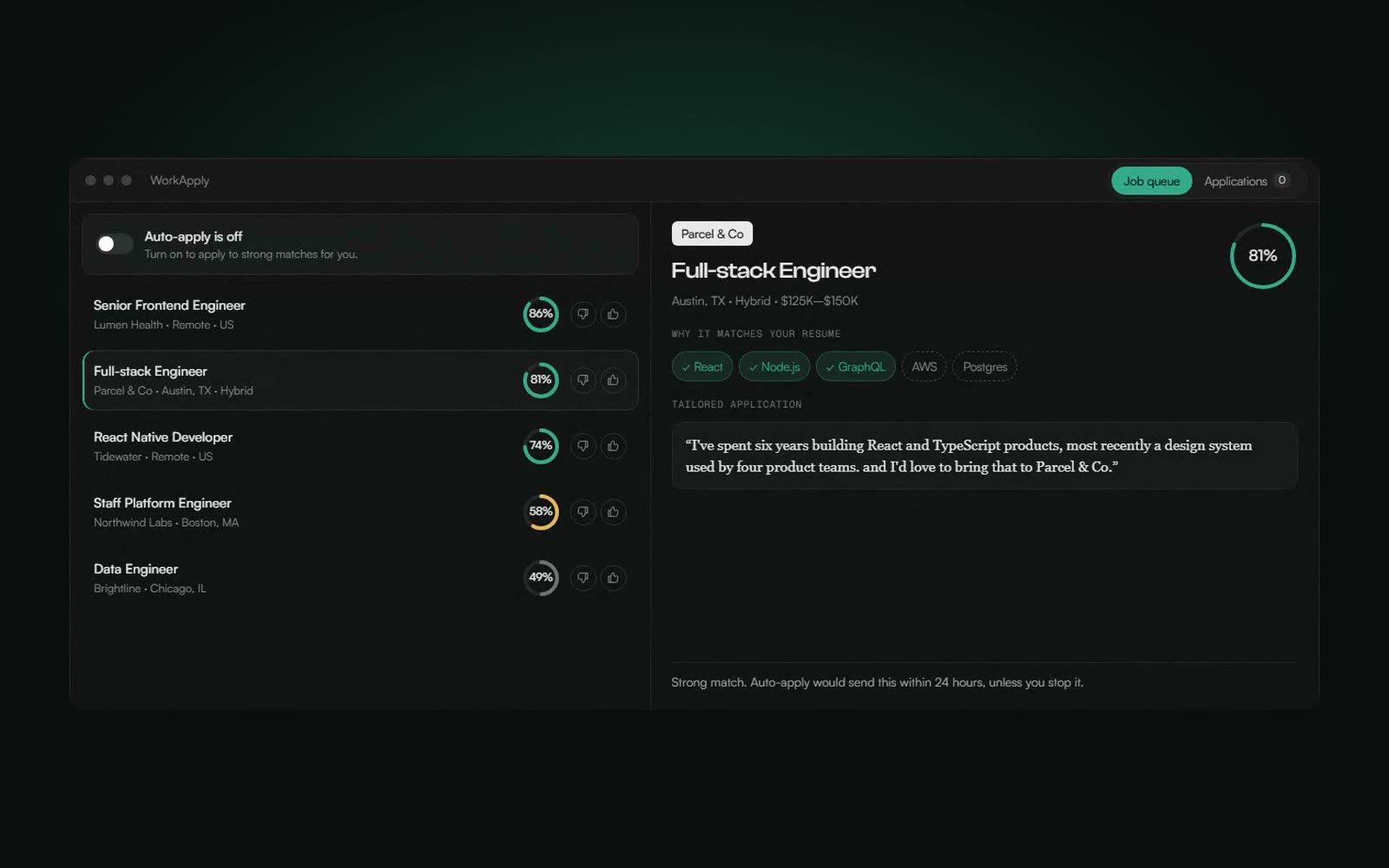
| Delay you can cancel | WorkApply: strong matches wait 24 hours before sending | Volume is high and each action is low-risk but visible |
| Escalate the unsure | PreOp Screen: “Not sure” becomes a follow-up, never a quiet No | Inputs come from people who may not know the answer |
| Correct and teach | WorkApply: a thumbs-down removes a job and teaches the matcher | Preferences matter and change over time |
Make the check fast
A review step is only real if people have time for it. Three things make it fast.
- Riskiest first. PreOp Screen's worklist puts the riskiest patients at the top, ordered by how soon the surgery is.
- A reason with every flag. Every warning says why it was raised and which answer caused it. Every Recruiting NOW score has its reason in one line.
- The source one click away. In Syphon and Contract Blitz, every finding links to the exact page and line, so checking takes seconds.
Keep safety independent of the AI
The strongest pattern we use is to make the safety-critical part work without the AI at all. In PreOp Screen, the risk checks are the practice's own 234 rules, written by the doctor. The AI only helps word the notes. Switch it off and the same warnings appear.
The rules themselves also go through a person: none of them screens a real patient until the doctor has read it and approved it, and the approve button refuses a rule she has not reviewed.
Lock what was approved
Once a person has signed, the output should not change underneath them. In PreOp Screen the report stays a draft until the doctor signs, then it is locked, so the surgeon always sees exactly what was signed. Notes and reports that travel together are tested against each other so they never disagree.
A quick checklist
- Pick the point where a mistake costs the most, and put the person there.
- Show the reason or the source next to every AI output.
- Sort the review queue by risk, not by arrival.
- Let the critical checks work with the AI switched off.
- Lock outputs once they are approved.
 PreOp Screen
 Brands10x
 WorkApply